Streaming Memories
- Relive the Past, Reimagine the Future
Streaming Memories is a platform dedicated to preserving cherished moments by creating immersive virtual reality conversations with loved ones.
This video in in VR, you can look around the room using your mouse, if you are watching on a phone you can turn your phone...or the best, a VR Headset and feel like you're in the room. (Tip - Click the gear icon and change to the highest resolution)

Streaming Memories Capturing History in Virtual Reality.
Capture a video of your loved ones before it's too late, you should do this yourself with a camera, a real conversation to preserve theirs and your history. What’s the difference between you and I doing it? I haven't heard their story before, they will be more comfortable telling it fresh, I will record them on a 360VR camera which I can edit/customise to include other related media which can then be seen in an immersive Virtual Reality Headset when view as if you are in the room, able to look around and feel the essence.
Imagine putting on a Virtual Reality (VR) headset and being transported into a room where your parents, who have since passed away, are having a heartfelt conversation. Through VR, you're not just watching a video—you’re there, in the room, surrounded by their voices, their presence, and their essence.
Their conversation might reveal stories you’ve never heard before. You’d see their familiar mannerisms, their unique quirks, the way they laughed, thought, and expressed themselves. It’s as if you’ve stepped back into a moment in time with them.
As they recount cherished memories—like a wedding day, a family reunion, or their 80th birthday—a video box seamlessly appears on the wall, displaying vivid footage of those events. Perhaps another box appears with a slideshow of black-and-white photos, capturing the essence of their youth. All this unfolds naturally, as they share the history of their lives in their own words.
This isn’t just a recording; it’s a legacy. A VR experience like this could be a heartfelt gift commissioned by siblings, capturing their parents' essence for future generations. Or it could be a visionary project created by elderly parents themselves—leaving behind a living memory for their great-great-grandchildren, even those yet to be born.
These immersive videos can be enjoyed on YouTube, as a standard 2D video or in full 360-degree VR, using a VR headset for a lifelike experience.
The time is now to preserve your family’s history in a way that future generations can truly connect with. Don’t let your family’s stories fade into forgotten memories. Capture their lives in full VR detail and create a treasure that will last for generations.
Personal Note:Three years ago today, my mum passed away. At the time, I owned a 360-degree camera but never thought to use it to capture her. Every year on this day, I find myself wishing I had. To see her again in a virtual reality video—to feel as though I could reach out and touch her—would be an indescribable gift.
Their conversation might reveal stories you’ve never heard before. You’d see their familiar mannerisms, their unique quirks, the way they laughed, thought, and expressed themselves. It’s as if you’ve stepped back into a moment in time with them.
As they recount cherished memories—like a wedding day, a family reunion, or their 80th birthday—a video box seamlessly appears on the wall, displaying vivid footage of those events. Perhaps another box appears with a slideshow of black-and-white photos, capturing the essence of their youth. All this unfolds naturally, as they share the history of their lives in their own words.
This isn’t just a recording; it’s a legacy. A VR experience like this could be a heartfelt gift commissioned by siblings, capturing their parents' essence for future generations. Or it could be a visionary project created by elderly parents themselves—leaving behind a living memory for their great-great-grandchildren, even those yet to be born.
These immersive videos can be enjoyed on YouTube, as a standard 2D video or in full 360-degree VR, using a VR headset for a lifelike experience.
The time is now to preserve your family’s history in a way that future generations can truly connect with. Don’t let your family’s stories fade into forgotten memories. Capture their lives in full VR detail and create a treasure that will last for generations.
Personal Note:Three years ago today, my mum passed away. At the time, I owned a 360-degree camera but never thought to use it to capture her. Every year on this day, I find myself wishing I had. To see her again in a virtual reality video—to feel as though I could reach out and touch her—would be an indescribable gift.
TRUSTED SERVICE
Trust us to provide a reliable and professional service for all your VR interview needs.
OUR SERVICES
Virtual Reality Interviews
Record VR interviews to capture and preserve precious memories.
Personal Storytelling
Tell your unique story in an immersive and engaging way.
Family History Preservation
Preserve the memories and stories of your family for future generations.
Loved One Tributes
Create heartfelt tributes to your loved ones using VR technology.
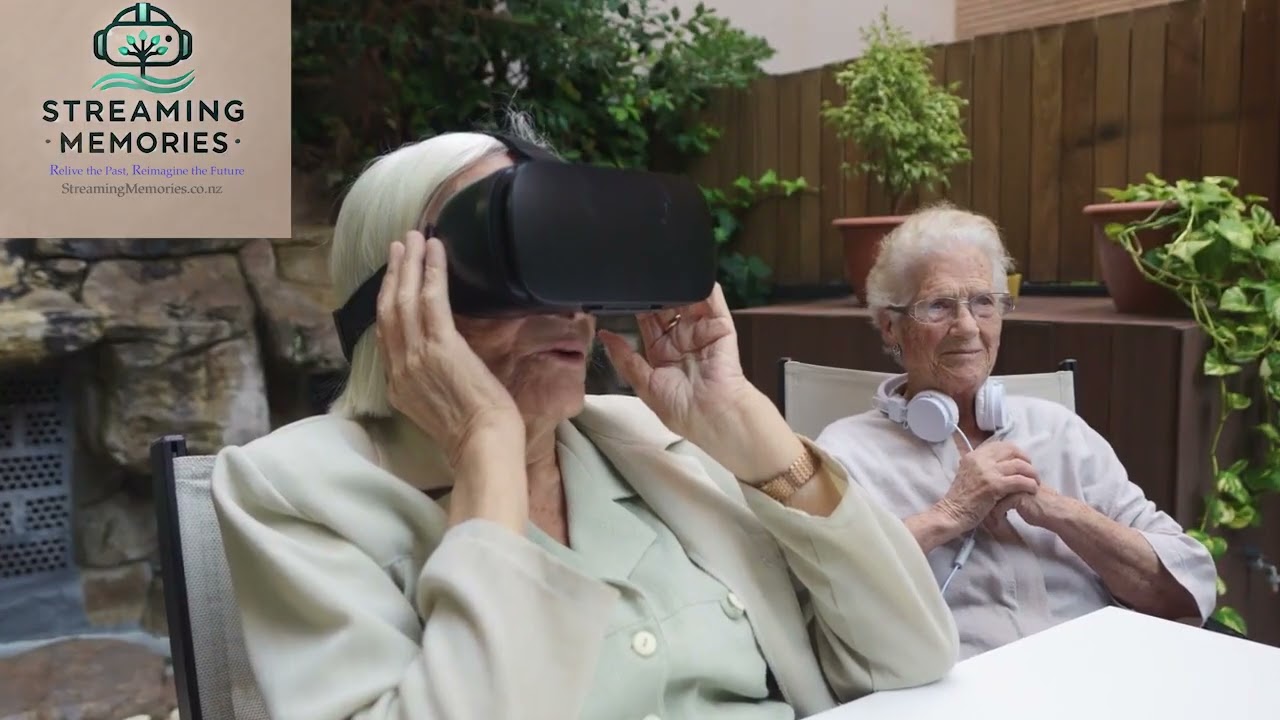
Interested but not sure what 360 and Virtual Reality is?
You're not alone, this technology has been around for the last five years, but has taken a leap forward in the last year. It's hard to explain VR if you haven't experienced it yourself.
We can't put many family streamed memories on here due to privacy reasons. So click the link below to view some public 360 vr videos so you can get the idea of it - You can view vr on a normal laptop/pc, or even your phone....although the best experience is with a VR headset as it will put you right in the scene.
Experience the Power of VR
Discover the transformative power of virtual reality and start streaming memories today.

OUR PRICES

Basic Package
- Includes VR recording of a 30-minute interview.
- Video stiched/trimmed and exported to YouTube VR
from
$250+gst

Standard Package
- Includes VR recording of a 1-hour interview.
- Video stiched/trimmed and exported to YouTube VR
from
$350+gst

Premium Package
- Includes VR recording and full editing of a 1 -hour interview.
- This can include mulitiple (inc vr ) recordings included into the main 1 hour recording eg wedding video/party video
- slideshow of images edited and inserted into 360VR
- Video stiched/trimmed/ Fully edited and exported to YouTube VR
- Hi Res 8k recording copied to USB Pen Drive (pen drive included in price)
from
$550+gst

Custom Package
- Includes VR recording and full editing of a 1 -hour interview.
- This can include mulitiple vr recordings included into the main 1 hour recording eg wedding video/party video
- slideshow of images edited and inserted into 360VR
- Video stiched/trimmed/ Fully edited and exported to YouTube VR
- Hi Res 8k recording copied to USB Pen Drive (pen drive included in price
- Tailored to your specific needs, includes VR recording and full editing of a customized interview.
from
$550+ gst and $100+gst per hour after

FAQ
What is the best way to view vr
VR is best watched in a VR headset, Meta Quest 3 is fantastic for this, the feeling of being there is incredible. You can watch VR content on a PC, laptop or phone by playing the video, clicking on the screen and moving the mouse in the direction you want to look or on a phone you can turn the phone, but the best way to immerse yourself into the video is to use a VR Headset.
What's the process if i decide to go ahead?
Initial Consultation: We’ll have a friendly chat to discuss your story, goals, and vision for your project. This helps us plan the session around your comfort and preferences.
Planning & Preparation: We’ll help you choose a comfortable setting, create a personalized checklist, and provide tips for a relaxed recording experience.
Recording Session: We’ll guide you step by step as you share your stories on video. You can speak at your own pace—no rush or pressure.
Editing & Production: Depending on the package you choose, we’ll craft your memories into a polished, immersive experience. This may include adding visuals, music, or other enhancements.
Final Delivery: Your finished project will be delivered in a format of your choice, ready to share with loved ones or keep as a personal treasure.
Planning & Preparation: We’ll help you choose a comfortable setting, create a personalized checklist, and provide tips for a relaxed recording experience.
Recording Session: We’ll guide you step by step as you share your stories on video. You can speak at your own pace—no rush or pressure.
Editing & Production: Depending on the package you choose, we’ll craft your memories into a polished, immersive experience. This may include adding visuals, music, or other enhancements.
Final Delivery: Your finished project will be delivered in a format of your choice, ready to share with loved ones or keep as a personal treasure.
What if I (or my loved ones) feel shy about being on camera?
- We understand that being on camera can feel intimidating at first, and that's completely normal! Our process is designed to help you feel relaxed and comfortable:
- Casual Approach: We keep the setting informal and use minimal equipment to create a calm and easygoing atmosphere.
- Gentle Guidance: We’ll guide the conversation with simple, meaningful prompts, so it feels more like a natural chat rather than a performance.
- Focus on the Stories: The session isn’t about being perfect on camera—it’s about capturing authentic moments and memories.
- Take Your Time: There’s no rush. You can pause, collect your thoughts, and share your stories at your own pace.
- Our goal is to make this a positive and enjoyable experience for you and your loved ones.
Contact Us

This service is currently based in the Far North of New Zealand.
North of Mangonui, Mangamuka, Broadwood to Cape Reinga are within the no travel charge area.
Travel south of these areas may incur a travel cost.
Contact for more information.
You can use the Contact form for more information or to select a package / time / demonstration.